SHOPIFY STORE RESEARCH

See the store behind the ad

Connect the creatives to the bigger picture. Explore a Shopify store’s ads, products, estimated traffic and sales — in one research workspace.

Full catalog browsing with Basic or above. Store credits apply to first inspections in the extension.

meta ads library / adsleadz extension
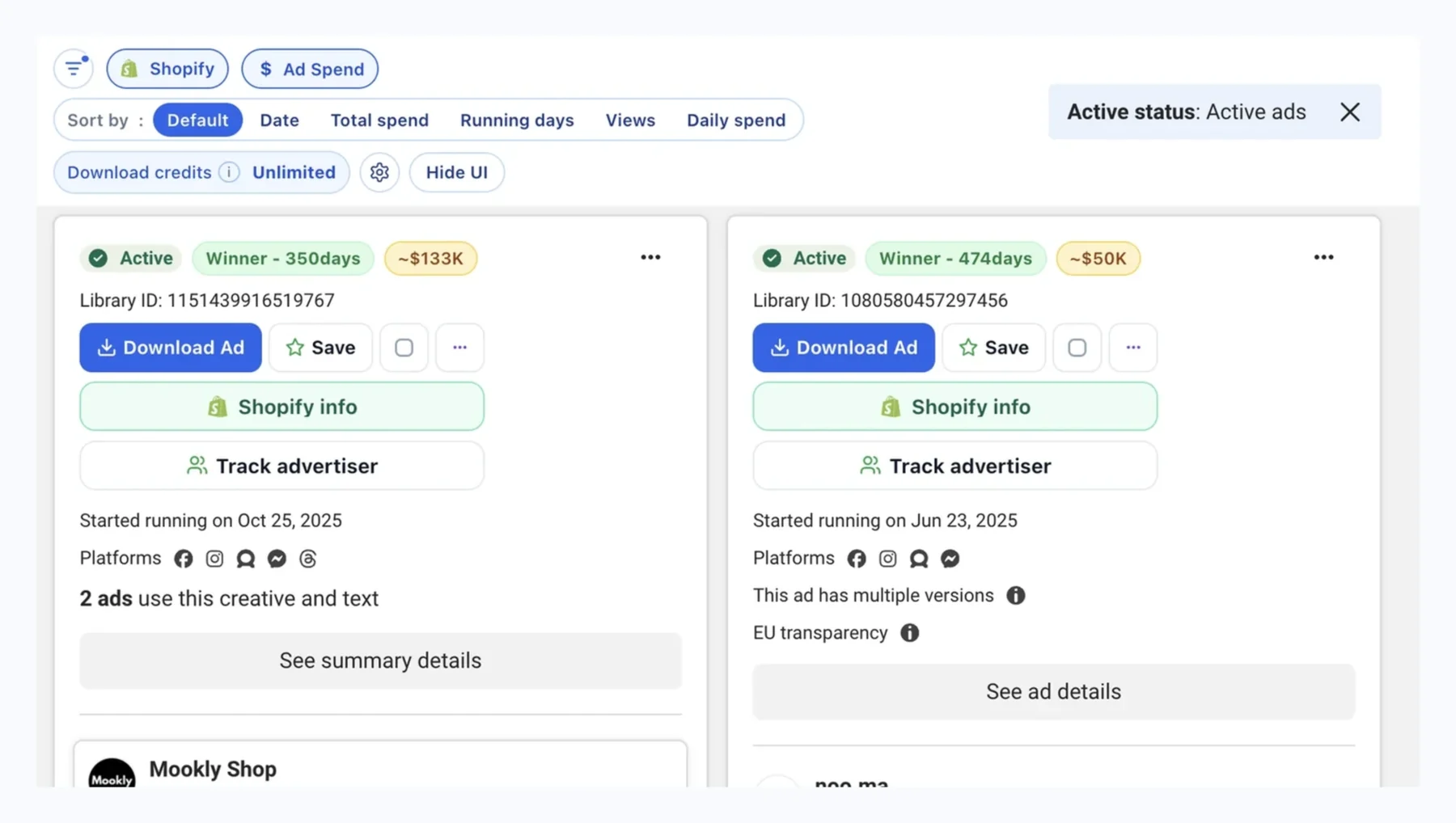
AdsLeadz Chrome extension in Meta Ads Library with Shopify info and Track advertiser buttons on ad cards

01 / Active ads

See how the store gets attention

Explore the Facebook ads associated with a Shopify store. Review creative previews and ad copy, then use Ad Campaigns to look beyond the overview.

  • Review the store’s active ads in one place
  • Compare creative angles, hooks and offers
  • See ad activity alongside the store’s products

Ads reflect the available store and advertiser data. The collected set may not include every campaign.

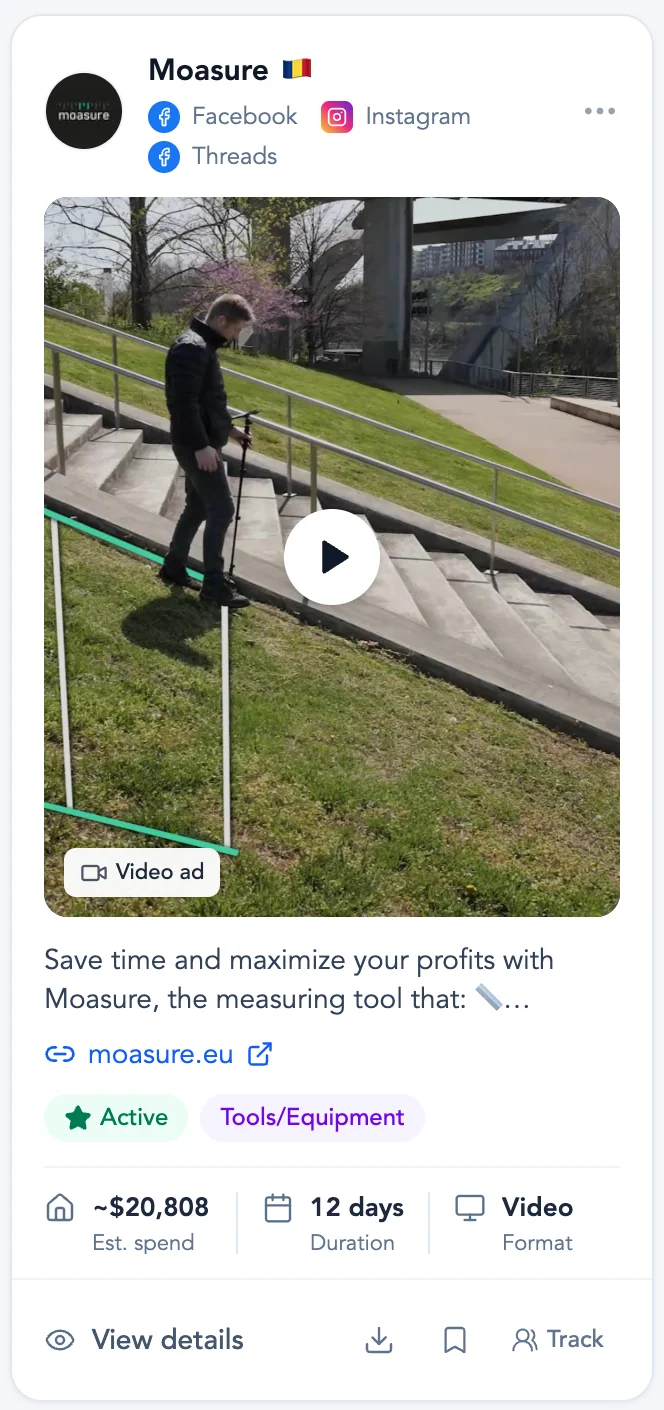
Facebook ad card with creative, copy, estimated spend, duration and format
The adThe store behind it
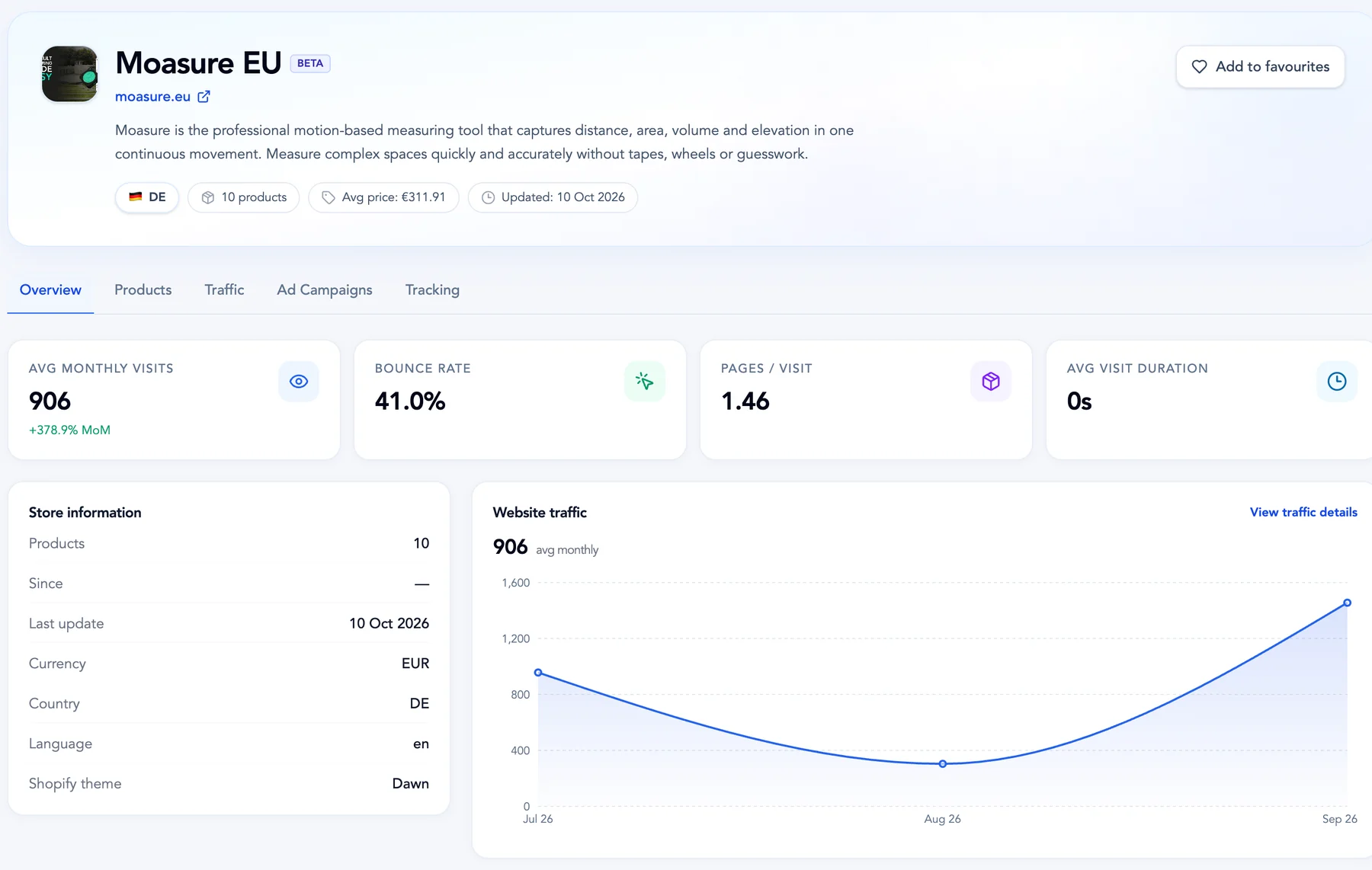
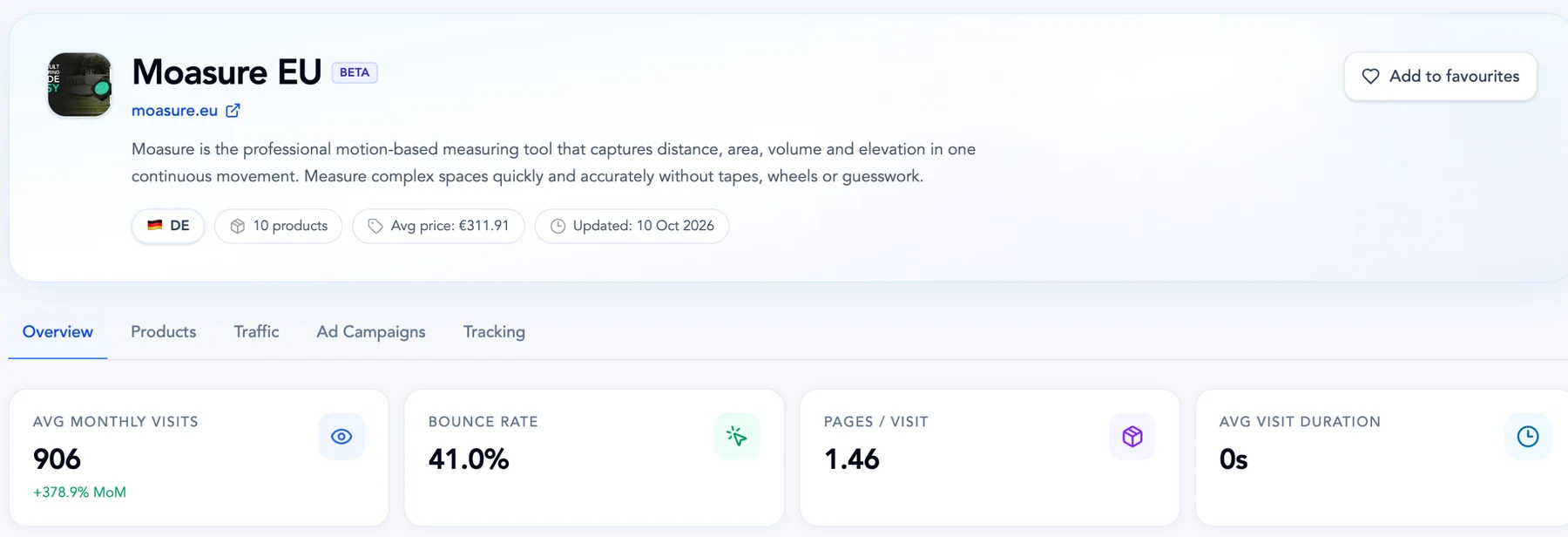
Store overview with profile, traffic metrics, store information and a website traffic chart

Every ad card carries its estimated spend, running time and format, and links straight to the store overview: profile details, traffic metrics, store information and the website traffic trend.

02 / Products

Go beyond the product in the ad

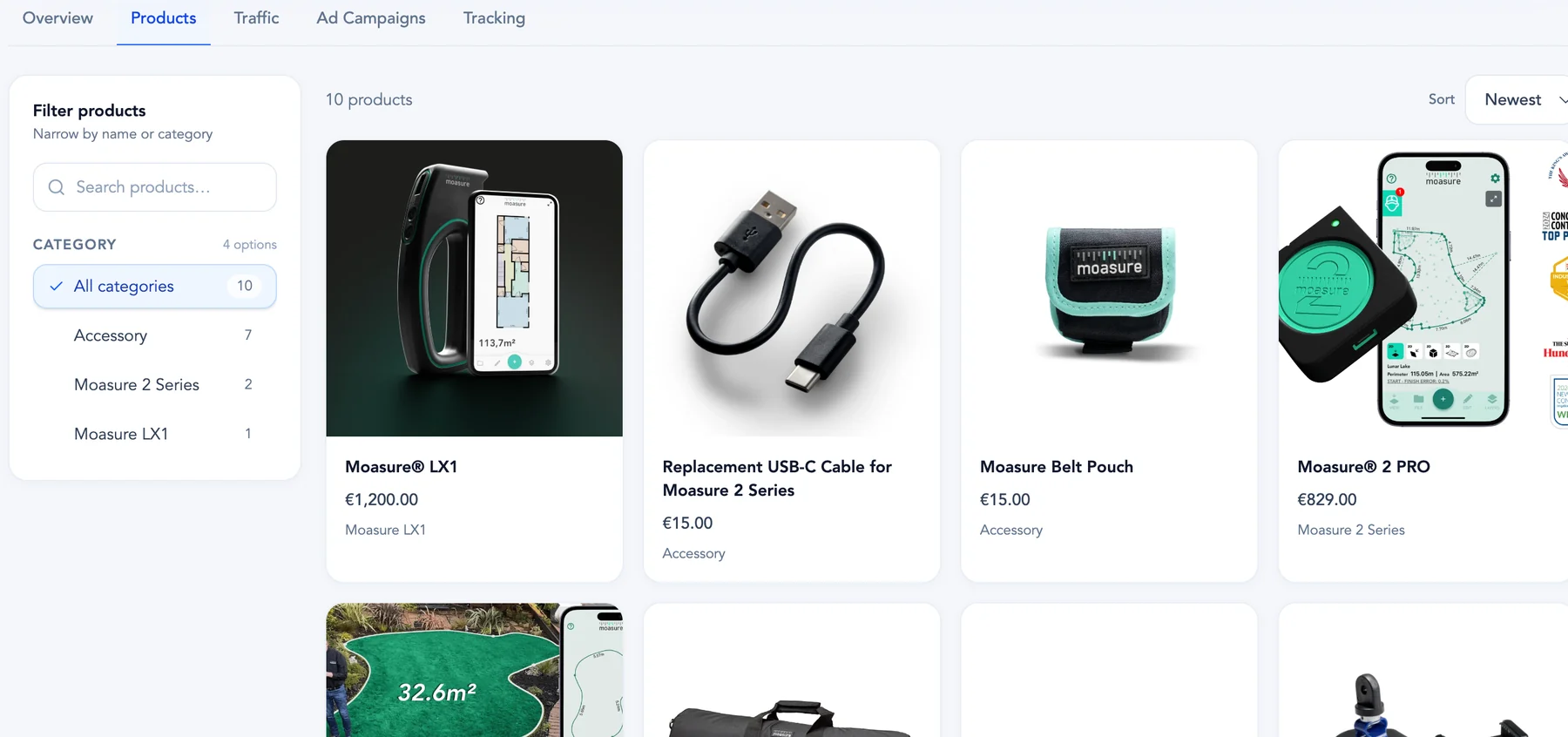
Browse all products collected for a store, with images, names and prices together. Explore the wider assortment, find a specific item, or see what has been added recently.

  • Search products by name and filter by category
  • Sort by newest, price or product name
  • Open product links to inspect the storefront

Product coverage depends on the data available from the store. Prices and catalog details can change.

ADSLEADZ / ProductsView full screenshot
Products tab with category filter, search and product cards with prices
A searchable view of the collected product catalog.

03 / Traffic & sales

Understand the signals behind a store

Review estimated website traffic and sales alongside the product catalog and ads. Use the available history to see the direction of a store’s activity before you decide what to research next.

  • Explore monthly visits and estimated sales trends
  • Review traffic sources and top countries when available
  • Add context with engagement metrics and keywords

Traffic and sales figures are estimates, not verified transactions. Coverage varies by store; unavailable data remains unavailable.

ADSLEADZ / Traffic & salesView full screenshot
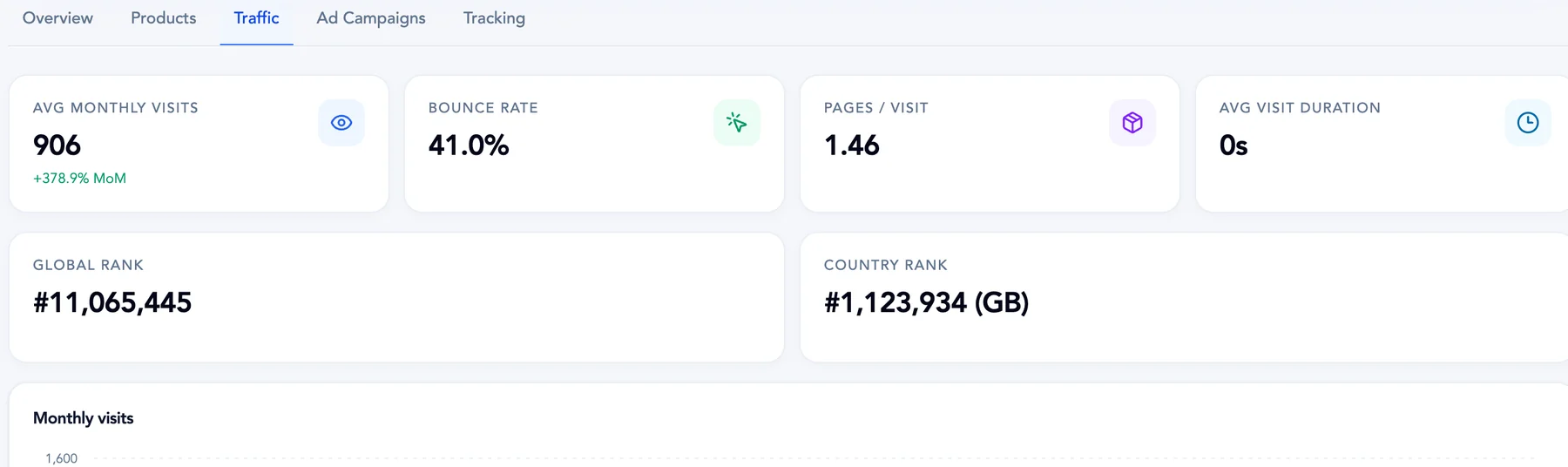
Traffic metrics: monthly visits, bounce rate, pages per visit, visit duration and ranks
Estimated traffic, monthly visits and sales for every store with available data.

04 / Listing & filters

Find stores that fit your research

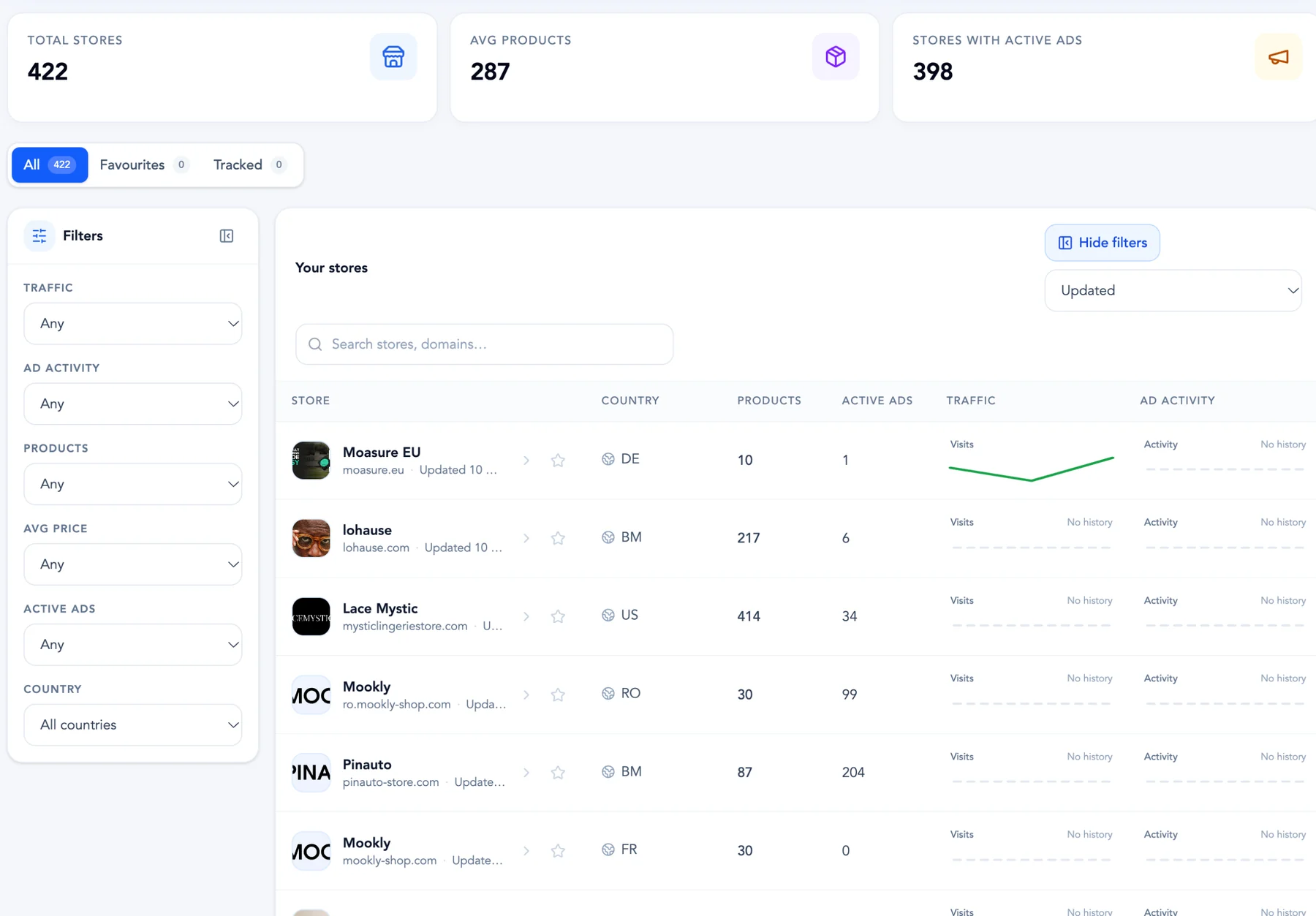
Start with the shared Shopify store catalog, then narrow the list with six focused filters. Search for a store, change the sort order, and keep the brands you want to revisit close at hand.

  • Search, sort and filter the shared store catalog
  • Move between All, Favourites and Tracked
  • Add a Shopify store by domain with Basic or above

Full catalog search, filters and adding stores require Basic or above. Tracking uses the slots included with your plan.

ADSLEADZ / Listing & filtersView full screenshot
AdsLeadz Stores listing with filters, sort and store rows
Six filters. A more focused shortlist.Traffic1k+ · 10k+ · 100k+Ad activity1+ · 10+ · 50+Products1–50 · 51–200 · 200+Avg priceUnder $25 · $25–75 · $75+Active ads1+ · 10+ · 50+CountryAll countries · Select a country
Filter the catalog. Keep your shortlist in view.

FROM AD TO STORE

Follow your curiosity without losing the context

The store catalog and Chrome extension connect two sides of the same research: the ad that caught your eye and the business behind it.

  1. 01

    Find an ad worth exploring

    Browse Meta Ads Library with the AdsLeadz Chrome extension. Look for an ad that links to a Shopify store.

  2. 02

    Open Shopify info

    Click Shopify info on a matched ad to inspect the store’s overview, products and available traffic insights.

  3. 03

    Continue in your dashboard

    Choose See all information to explore the store in the web app. Review ads, compare products and keep the store in your shortlist.

STORES / BASIC & PLUS

Go deeper with Basic or Plus

Explore the full Shopify store catalog and connect the products, ads and estimated performance behind each brand. Plus adds more tracked advertisers and seats for your team.

How store access works
Save 17%

Basic

Most popular

The full store catalog, with the insights to explore it.

$19per month

Billed monthly.

Get Basic
  • Full store catalog, search & six store filters
  • Add Shopify stores by domain
  • Collected products, categories & prices
  • Active store ads & creative previews
  • Estimated website traffic & sales
  • Shopify info in the Chrome extension
  • Track advertisers: 10
  • AI Transcript: 1000/month
  • Competitor research: 30/mo
  • Priority support
  • 10k scrape & API credits
  • Cloud lead scraper / REST API

Plus

Everything in Basic, scaled for teams: 5 seats and 50 tracked advertisers.

$39per month

Billed monthly.

Get Plus
Everything in Basic
  • Track advertisers: 50
  • Seats: 5
  • AI Transcript: 1000/month
  • 10k scrape & API credits
  • Cloud lead scraper / REST API

Store credits and current access limits apply to extension inspections. Web browsing, traffic and ads do not spend store credits. Traffic and sales are estimates. Cancel anytime.

STORE ACCESS

Choose your way into store research

Browse in the web app or inspect a store directly from an ad. Your plan and store credits cover different parts of the workflow.

See plans and current limits
WEB APP / BASIC+

The full store catalog

Browse, search and filter the shared catalog. Add a store by domain. Signed-in users without Basic or above can view a limited selection of up to 5 shared stores.

EXTENSION / STORE CREDITS

Inspect the store behind an ad

The first successful inspection uses one store credit. Return to a store you have already inspected without spending another credit.

Web browsing, store details, traffic and ads do not spend store credits. Tracking uses plan slots. Stores must be enabled for your account.

QUESTIONS, ANSWERED

A closer look at Stores

What can I research with Stores?

Stores brings together a Shopify store’s collected products, associated Facebook ads, estimated traffic and estimated sales. Start in the catalog or open Shopify info from the AdsLeadz extension while browsing Meta Ads Library.

How do I open a store from the extension?

Install the AdsLeadz Chrome extension, sign in and open Meta Ads Library. On an ad with a matched Shopify destination, click Shopify info. Review the store in the panel, then use See all information to open its web dashboard. Stores must be enabled for your account.

Which plan includes the full store catalog?

Basic or above includes full catalog browsing, search, filters and adding stores by domain. Signed-in users without Basic or above can access a limited selection of up to 5 shared stores. The Stores feature must be enabled. See the pricing page for current plans and limits.

When are store credits used?

The first successful Shopify info inspection of a store in the extension uses one store credit. Revisiting a store you already inspected uses no additional credit. Browsing the web catalog, opening store details and reviewing traffic or ads do not use store credits. Adding a store from the web requires Basic or above and does not spend a store credit.

Are traffic and sales figures exact?

No. Website traffic and sales figures are estimates, not verified store transactions. Availability and historical coverage vary by store. Use them as research signals alongside products and ads; missing data is shown as unavailable.

Does Stores show every product and ad?

The Products tab shows all products collected for that store, with search, category filters and sorting. Catalog coverage depends on the storefront data available. Ads are collected from the associated advertiser and store domain, and the available set may not include every campaign.

Can I save stores and track them?

Use Favourites to keep stores you want to revisit and the Tracked tab to organize the stores you track. Tracking is subject to the store slots included with your plan. It does not include email alerts.

RESEARCH THE BIGGER PICTURE

Your next store insight starts with a closer look.

Explore the ads, products and signals behind Shopify stores.

Explore stores See how it works Full catalog access with Basic or above.