
Find an advertiser
Browse Meta Ad Library with the AdsLeadz Chrome extension, or start from the Competitors page in your dashboard.
Follow any advertiser on Meta. See new ads the day they launch, spot landing-page changes, and read the hooks behind winning creatives — all in one tracker.
Track up to 10 advertisers on Basic and 50 on Plus. Add advertisers right from Meta Ad Library with the Chrome extension.

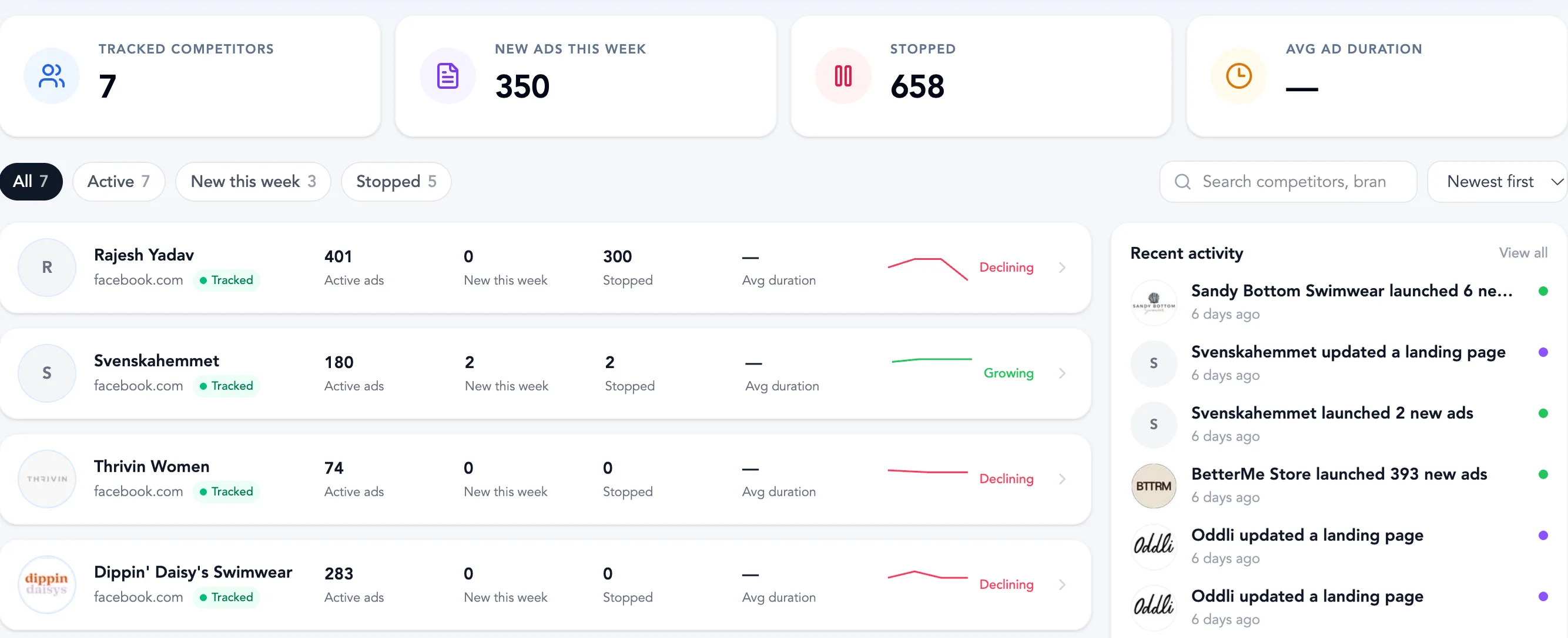







01 / WATCHLIST
Track any advertiser on Meta and keep your whole competitive set in a single list. See how many ads each brand has live, what launched or stopped this week, and whether their ad volume is growing or declining.
Track up to 10 advertisers on Basic and 50 on Plus.
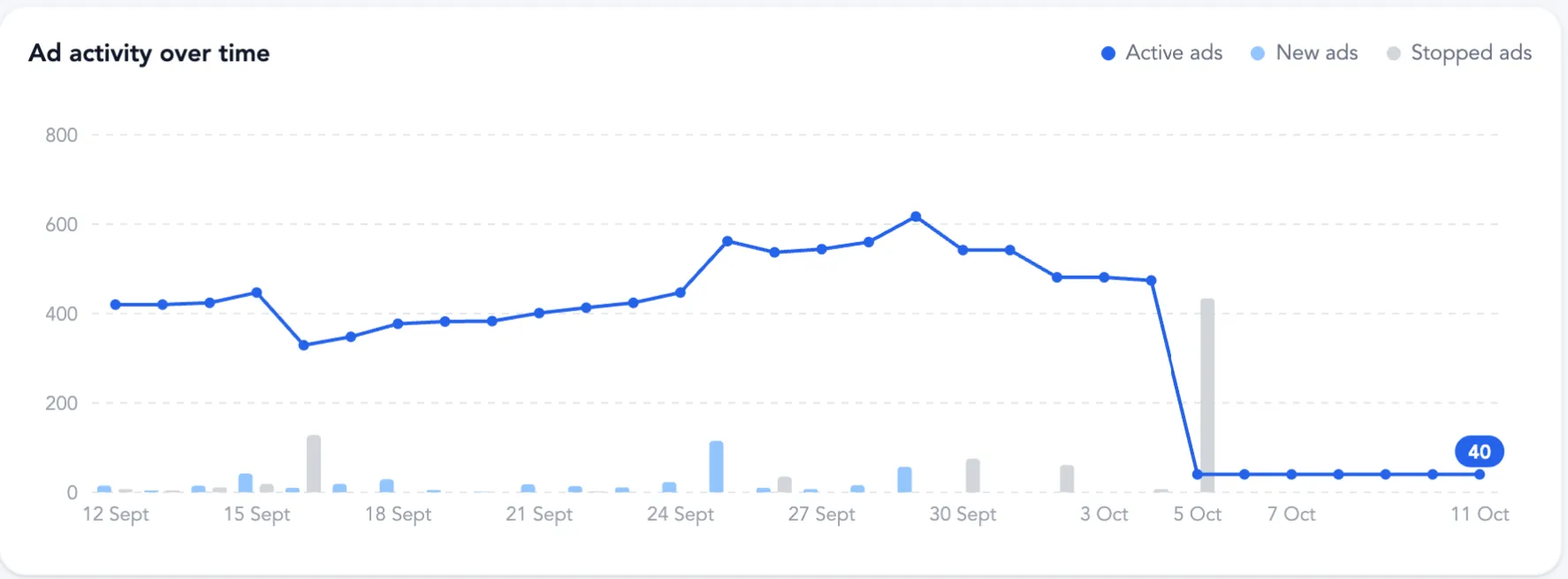
02 / OVERVIEW
Open a tracked brand and get the full picture in one report: how many ads are live, what changed this week, how ad volume moved over the last 30 days, and which creatives have been running the longest.
Date range selector: last 30 days.


03 / ADS
Browse the full ad library of a tracked brand. Filter by active or stopped and by format, search the copy, and see the creative, landing page, running time and format on each card — then save or track from the card itself.
Cards show active status and advertiser type, such as profile, digital creator or interest.
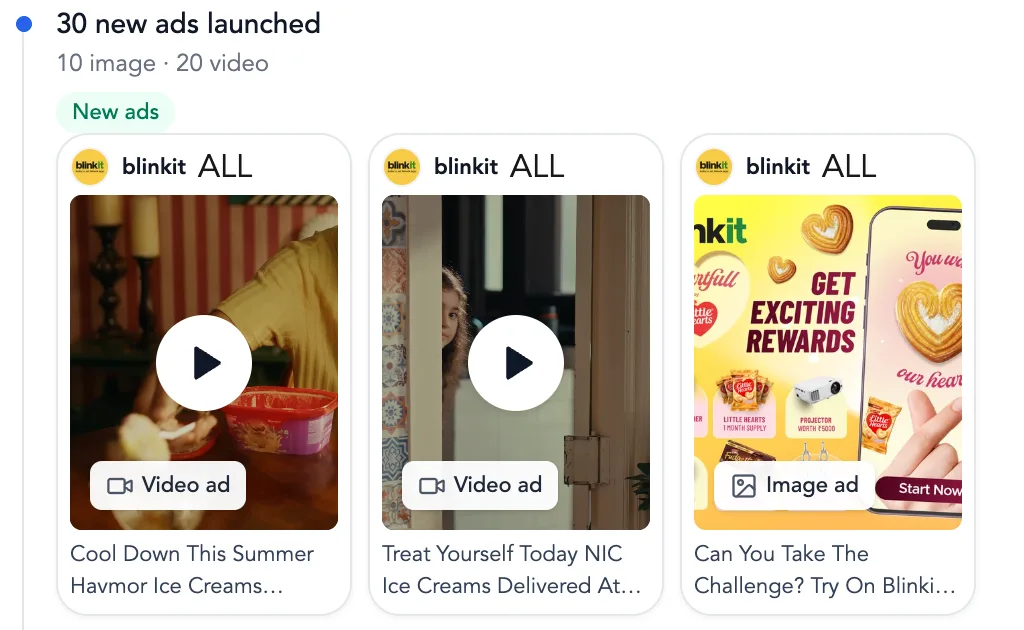
04 / TIMELINE
Know the day a competitor scales up or pulls back. The timeline lists every batch of new ads, every stop and every new landing page in date order, with creative previews you can open.
Filter the feed by new ads, stopped ads or landing pages.
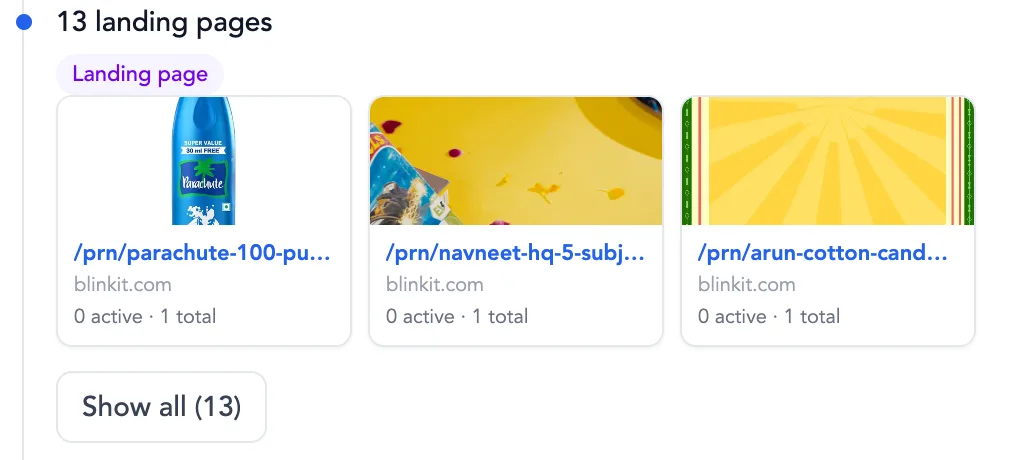
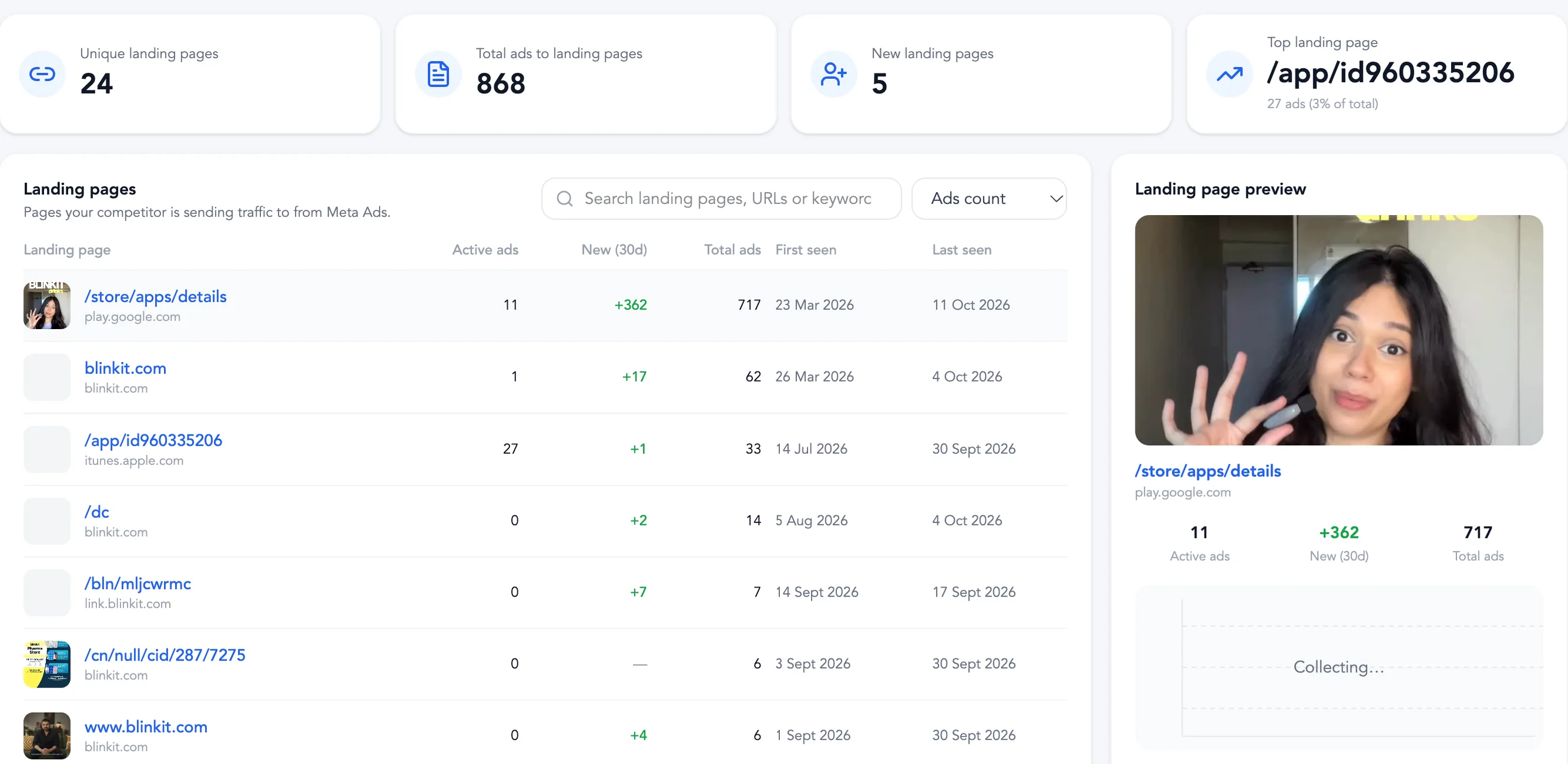
05 / LANDING PAGES & HOOKS
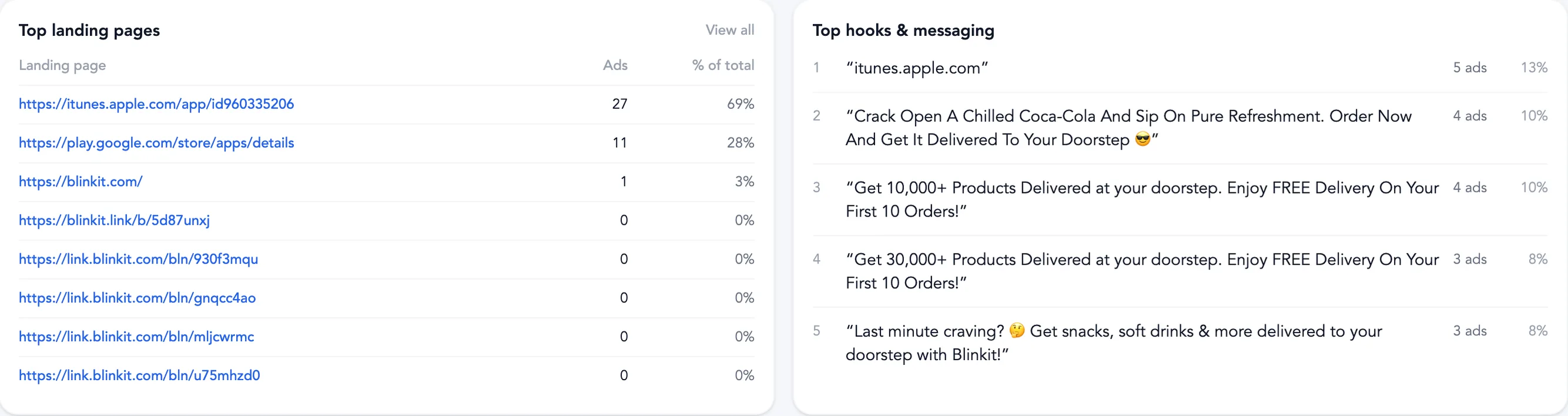
Every ad points somewhere. See each landing page a brand sends traffic to, when it first appeared and how many ads feed it, then read the hooks and messaging repeated across their best-performing creatives.
Landing-page changes also appear in the timeline as they are detected.
HOW IT WORKS
Add an advertiser in a click, then let the tracker build their history: every new ad, every stop and every landing-page change.
Browse Meta Ad Library with the AdsLeadz Chrome extension, or start from the Competitors page in your dashboard.
Click Track advertiser on an ad card. Their ads, landing pages and changes start building a history you can revisit.
Open the Overview, Ads, Timeline and Landing pages tabs, and check back for new launches and changes.
BRAND TRACKER / BASIC & PLUS
Basic lets you track up to 10 advertisers. Plus raises that to 50 and adds seats for your whole team.
How tracking worksBasic
MOST POPULARTrack your closest competitors.
Billed monthly.
Get BasicPlus
Everything in Basic, scaled for teams: 5 seats and 50 tracked advertisers.
Billed monthly.
Get PlusTracking uses the advertiser slots included with your plan. Reports reflect the data available for each advertiser. Cancel anytime.
HOW TRACKING WORKS
Track advertisers from the Competitors page or directly in Meta Ad Library. Your plan sets how many advertisers you can track.
See plans and current limitsWEB APP / COMPETITORS
Add an advertiser from the Competitors page and follow it in your watchlist next to every other brand you track.
EXTENSION / META AD LIBRARY
Use the AdsLeadz Chrome extension to track an advertiser right from an ad card while you browse Meta Ad Library.
Tracking uses advertiser slots: 10 with Basic and 50 with Plus.
QUESTIONS, ANSWERED
An overview of active, new and stopped ads, the full ad list, a timeline of changes and every landing page they use.
Click Track advertiser on an ad card in Meta Ad Library with the AdsLeadz Chrome extension, or use Track advertiser on the Competitors page.
Up to 10 advertisers with Basic and up to 50 with Plus.
New ads, stopped ads and new landing pages, grouped by date with creative previews.
Yes. Filter by active or stopped and by video, image or carousel, or search the ad copy.
Coverage depends on the data available. Reports show the ads collected for the advertiser in the selected date range.
Yes. Ad cards include save and track actions so you can keep the creatives worth revisiting.
KNOW BEFORE THEY SCALE
Track brands, monitor new ads, and spot changes over time.